Connect Lumen5 with Your Essential Tools
Integrate Lumen5 with the platforms your teams already use to streamline video creation, maintain brand governance, and enable departments across your organization to produce consistent, on brand content at scale. These integrations help marketing, L&D, and internal communications teams work faster, reduce manual effort, and keep every video aligned with approved standards.
All
14 results AI assistants
ChatGPT
Connect ChatGPT with Lumen5 to create on-brand videos from a quick request, right in your ChatGPT conversation.
 AI assistants
Claude
Connect Claude with Lumen5 to turn the scripts, articles and ideas you shape with Claude into finished, on-brand videos.
 AI assistants
Microsoft Copilot
Connect Lumen5 to a Microsoft Copilot Studio agent so your team can create on-brand videos in Teams and Microsoft 365, and watch them play right in the chat.
 Digital asset management
Acquia
Connect Acquia DAM with Lumen5 to turn approved brand assets into on-brand videos quickly and securely, all from your trusted DAM library.
 Digital asset management
Brandfolder
Connect Brandfolder with Lumen5 to transform approved assets into on-brand videos quickly and securely, all within your trusted digital asset library.
 Digital asset management
Bynder
Connect Bynder with Lumen5 to turn approved assets into polished, on-brand videos quickly and securely, all from your centralized digital asset library.
 Digital asset management
Cloudinary
Connect Cloudinary with Lumen5 to transform your approved assets into branded videos quickly and securely, right from your centralized media library.
 Digital asset management
Frontify
Connect Frontify with Lumen5 to create consistent, on-brand videos using approved assets directly from your Frontify library, fast and securely.
 Single sign-on
Okta
Connect Okta with Lumen5 to enable secure single sign-on, streamline user access, and enforce enterprise authentication policies with ease.
 Single sign-on
Azure
Connect Microsoft Azure SSO with Lumen5 to enable secure single sign-on, manage user access centrally, and protect your brand with enterprise-level security.
 Automation
Slack
Connect Slack with Lumen5 to enable link unfurling right in Slack.
 Automation
Hootsuite
Connect Hootsuite with Lumen5 to attach your published Lumen5 videos to social posts, straight from the Hootsuite Media Library.
 Automation
Make
Connect Make with Lumen5 to build scenarios that turn new content into on-brand videos, from one-off posts to whole batches.
 Automation
Zapier
Connect Zapier with Lumen5 to create a video automatically whenever something happens in the apps you already use.


“With the traditional agency, the time is usually about one week. But with Lumen5, it’s cut down from weeks to hours.”
Visual content director at Siemens AG


“Lumen5 is especially helpful for business people who don't have the technical experience to make their own videos.”
Media relations and content manager


“Thanks to Lumen5, we have been able to cut down on the time and costs related to video making.”
Global advertising and sponsorships
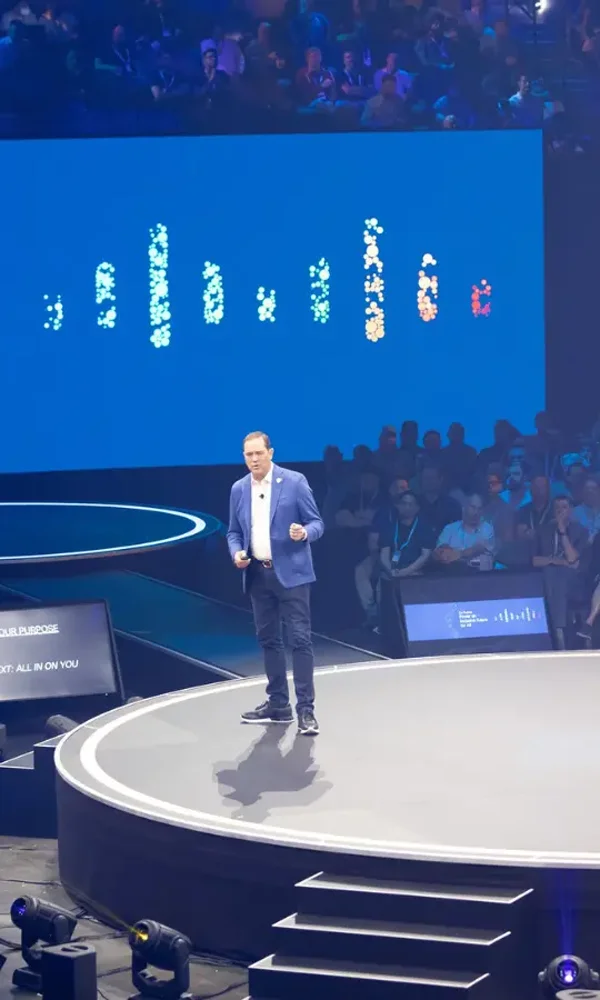

“We’re able to create a video quickly with a turnaround of five minutes versus trying to coordinate with an agency and see if they have time to fit you in. With Lumen5, you could just get it right then and there.”
Social & digital content manager


“The best part about Lumen5 is that it's not time-consuming. It's really easy and you only need a couple of minutes to create a video because everything is included.”
Senior online marketing manager


“We have scaled Lumen5's use across our marketing organization, realizing benefits across many team layers. As company communicators, this agile tool enhances each customer's experience and engagement.”
Director of global integrated marketing, Emerson

“We saw increasing demand within Communications for an intuitive self-service video production tool and Lumen5 filled the gap.”
Creative & digital assets manager, Corporate Voice, Swiss Re
Integrations with platforms such as Acquia, Brandfolder, Bynder, Cloudinary, and Frontify allow teams to pull approved brand assets directly into Lumen5. This ensures videos always use the latest logos, images, and design elements while removing the need to download and reupload content. It also strengthens brand governance by keeping creators inside a controlled, permission based environment.
Yes. Teams can access their DAM libraries from within the Lumen5 editor. This streamlines campaign workflows, training content production, and internal communication updates since all assets are automatically organized, tagged, and brand safe before entering the video creation process.
Single sign on integrations with Okta and Microsoft Azure allow organizations to manage authentication and user permissions centrally. This reduces security risks, simplifies onboarding, and ensures only authorized team members can create and publish videos under your brand.
Yes. Many enterprises manage several brands or product lines through DAM platforms. By syncing Lumen5 with your DAM environment, each team can access the specific brand assets, fonts, colors, and templates assigned to them, ensuring every video aligns with the correct identity.
Absolutely. Integrations reduce friction between departments by eliminating version control issues and asset confusion. Marketing, L&D, product, and internal communications teams can all work from the same approved source of truth, which leads to faster reviews, fewer revisions, and more consistent video output.
Yes. Whenever assets are updated or replaced in your DAM platform, the latest version becomes available in Lumen5. This ensures that every video uses current, compliant, and approved brand materials without manual updates.