Lumen5 + Microsoft Copilot
Give your Copilot agents a video skill
Connect Lumen5 to an agent in Microsoft Copilot Studio and your team can ask for on-brand videos in Teams and Microsoft 365, then watch them play right in the chat.
What your agent can do with Lumen5
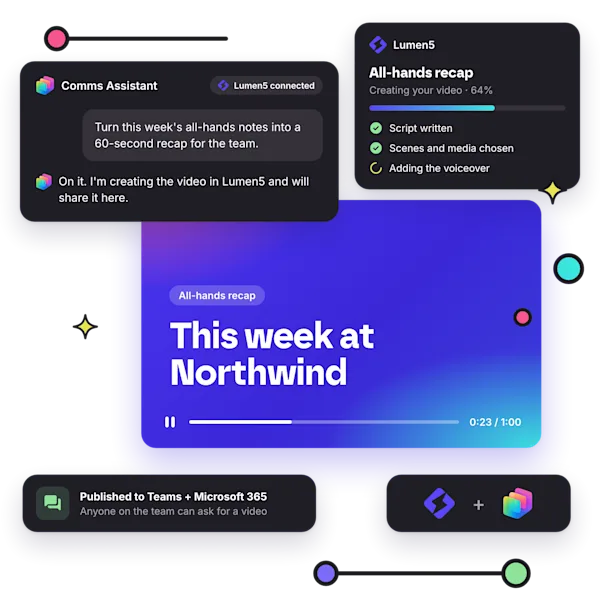
Videos where your team already works Publish your agent to Teams and Microsoft 365, and anyone on the team can ask for a video in a chat they already have open.
Watch it come together A Lumen5 card in the conversation shows the video's progress, then plays the finished video without leaving the chat.
From a quick brief or a finished script Describe what you need and Lumen5 writes the script, or paste a script you already have and it's used word for word.
On brand, every time Ask for one of your workspace's templates, brand kits, AI voices or blueprints, or leave it out and Lumen5 chooses.
Ideas to try
“Turn this blog post into a 60-second video for LinkedIn.” Paste a link or the text and get a social-ready video back in the same chat.
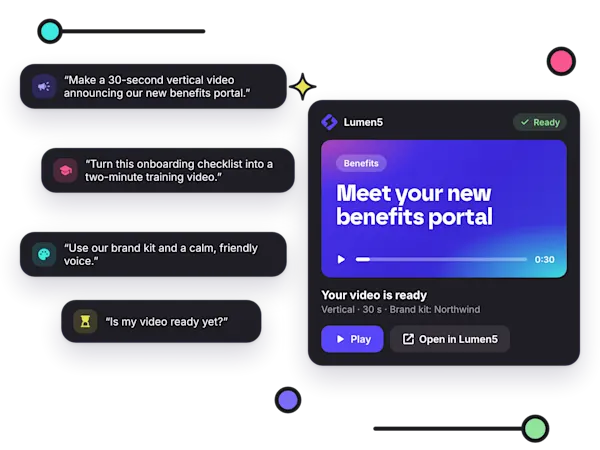
“Turn this onboarding checklist into a two-minute training video.” Hand over material you already have and Lumen5 shapes it into a script.
“Make a 30-second vertical video announcing our new benefits portal.” The agent sets the length and aspect ratio for you.
“Is my video ready yet?” The agent checks on the video and shares it as soon as it's done.
Up and running in minutes
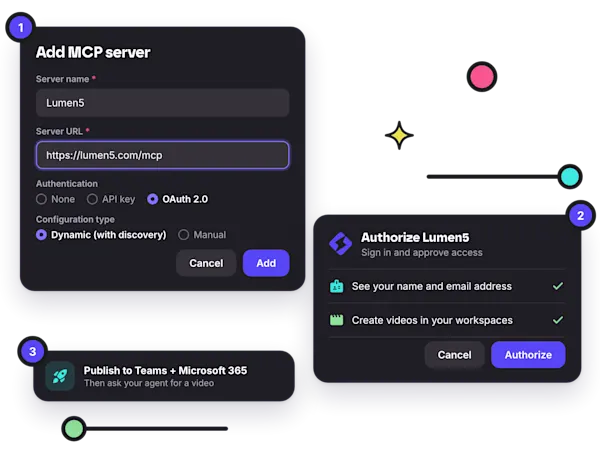
No code required Add Lumen5 to any agent you build in Copilot Studio. Your admin connects it once, and the whole team can use it.
Secure sign-in Each person signs in with their own Lumen5 account, so videos land in the right workspace with the right brand.
Edit anything in Lumen5 Every video opens in the Lumen5 editor, where you can adjust scenes, media and timing before you share it.
FAQ
Where can my team use the agent?
Anywhere you publish it. Lumen5 connects to agents you build in Microsoft Copilot Studio, and the Teams + Microsoft 365 channel puts your agent in Teams and Microsoft 365 Copilot.
Which Lumen5 plans include the Copilot integration?
All of them. The Copilot integration works with any Lumen5 plan.
Will my videos match our brand?
Yes. The agent can use your workspace's templates, brand kits and AI voices, or Lumen5 picks for you.
Can I use my own script?
Yes. Paste a finished script and it's used word for word, or describe what you need and Lumen5 writes one.
Can I edit the video afterwards?
Yes. Every video opens in the Lumen5 editor, where you can change scenes, media and timing before you publish.

Join over 5,000,000 companies using Lumen5 to tell their stories.
Lumen5 is a video creation software that helps marketers, publishers, and brands create video content in a breeze, without any technical expertise.
Sign up free