AI Video Clip Generator for Turning Long Videos into Shorts
Create multiple clips from any webinar, podcast, or interview in minutes. Lumen5's AI Video Clip Maker finds highlight moments for you and instantly creates short, channel-ready videos (9:16, 1:1, 16:9) with captions and your brand styles, so you can publish more without adding headcount.
Auto find highlights
Detect quotable moments, speaker changes, and high-interest sections ➜ hours saved per video.
Batch create multiple shorts
Generate several ready-to-edit clips from one upload ➜ scale output 10× (your mileage may vary).
Collaborate, approve, and ship
Comments and versions keep teams aligned ➜ faster cycle time with less tool hopping.
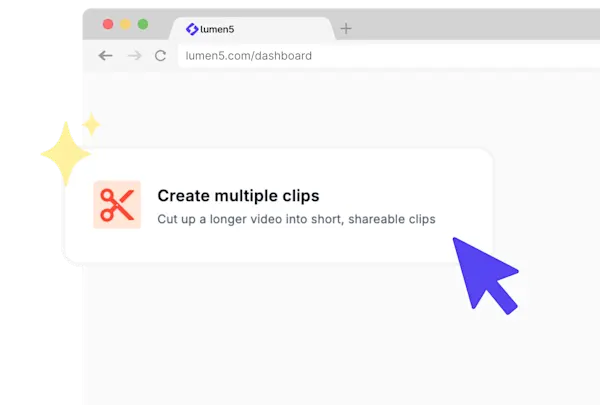
1) Analyze every signal
Upload your webinar, podcast, interview, or product walkthrough. Our AI video clipping tool scans the audio and transcript, detects speaker turns and scene changes, and spots hook-worthy lines and visual beats. Think of it as a tireless assistant that watches the entire video, so you don’t have to scrub timelines frame by frame.
Why it helps:
Surfaces quotable hooks and high-interest moments you might otherwise miss.
Cuts hours of manual review down to minutes, so creators can focus on story, not searching.
Outcome: A ready-to-review set of candidate moments already aligned to where engagement tends to spike, without touching a timeline.
2) Enter a prompt

Tell us what you’re trying to make and for whom. In one line, set topic, tone, and channel—and we’ll tailor the clips to your brief. You can also include keywords to hit (or avoid), target audience (“B2B buyers”), and call-to-action hints.
Why it helps:
Turns into a brief-aware video editor that respects your goals.
Keeps content on-message and on-channel (format + tone) without back-and-forth.
Speeds up iteration: accept, tweak, or regenerate in seconds.
Outcome: A personalized shortlist of clips matched to your prompt, ready to approve, lightly edit, or export in a batch.

3) Reframe & brand for every channel
With one click, reframe to 9:16, 1:1, or 16:9, and add captions optimized for your desired format. Batch-export everything then hand off to your scheduler.
Why it helps:
Ships channel-ready outputs for TikTok, Instagram Reels, YouTube Shorts, and LinkedIn—fast.
Eliminates tool-hopping: reframe, caption, and export in one workflow.
Outcome: Multiple short-form, on-brand clips ready to post in minutes, not hours.
Clip Maker analyzes audio, transcript, pacing, and visual transitions to find highlight moments. Enter a prompt with topic, tone, and channel. Lumen5 assembles clips that match the brief, applies captions and your brand style, then exports in 9:16, 1:1, or 16:9 for all major social platforms.
You can upload most common formats such as MP4 or MOV in horizontal or vertical orientation. Teams use Clip Maker for webinars, podcasts, interviews, demos, customer stories, and screen recordings. Convert uncommon formats to MP4 or contact support for help.
You can start with a free trial. Create multiple clips, then upgrade for brand kits, HD exports, team permissions, and enterprise governance. Visit the pricing page for full details.
Lumen5 is a leading choice for marketing teams because it combines AI powered highlight detection with brand safe templates and a full editor. Anyone can transform webinars or podcasts into social ready clips in a few minutes. Try it by creating a free account.
The interface and media search operate in English, but you can create videos in more than thirty five languages.
Yes. Use prompts and filters to guide the AI. Add topics, keywords, tone, and channel instructions such as: LinkedIn teaser focusing on ROI insights or TikTok clip featuring the strongest guest quote. You can include or exclude terms, set preferred clip length, and refine the shortlist before exporting.
