Trim Video
Easily Trim Video Content with Lumen5.
Need to trim your video? Lumen5 can help you. Trim video to the correct length, trim down scenes you don’t need and create professional video content in minutes.

Win the battle for attention
Build curiosity from square one
How to trim video in 3 steps
Get started for free →
STEP 1
Upload the video
Open the video file that you want to trim and upload it from any device: Windows, Mac, iPhone, or Android. You can also upload it from your Google Drive or Dropbox account.
STEP 2
Trim the video
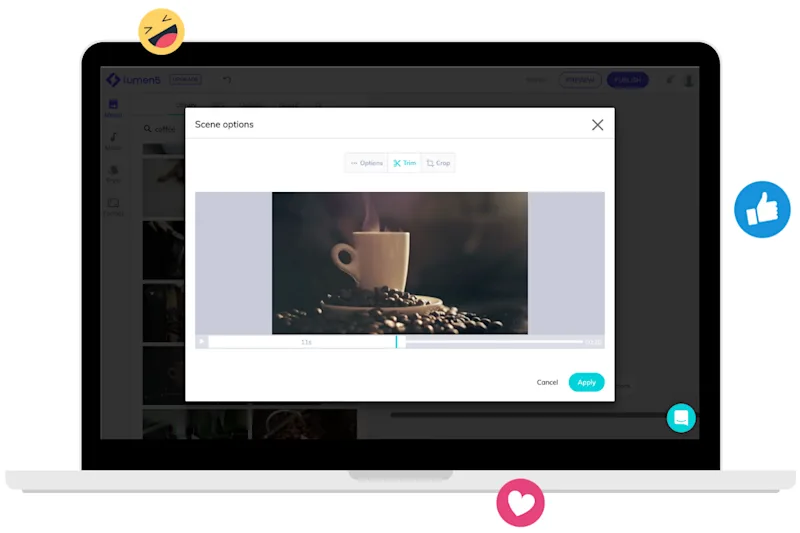
To trim a video on your scene, go to More options, then Trim. Drag to crop the video wherever you'd like, then press Apply to save.
STEP 3
Download the trimmed video
Watch the preview to ensure everything looks according to what you expected. If it is so, download the video back to your device, otherwise, go back to editing.

World-class video marketing content. Made in minutes. No video editing skills required. Sign up for free today to grow your brand.
Tips and tricks for effortless video production
Learn how our customers save time and boost engagement with Lumen5




Join over 5,000,000 companies using Lumen5 to tell their stories.
Lumen5 is a video creation software that helps marketers, publishers, and brands create video content in a breeze, without any technical expertise.
Sign up free