Add image to video
Easily Add an Image to Your Video Using a Template.
Want to painlessly add an image to your video? Lumen5 can help you with that. You can add your logo or any image on the top of your video with just a few clicks. No editing experience is necessary to successfully use our online tool for adding images to video.
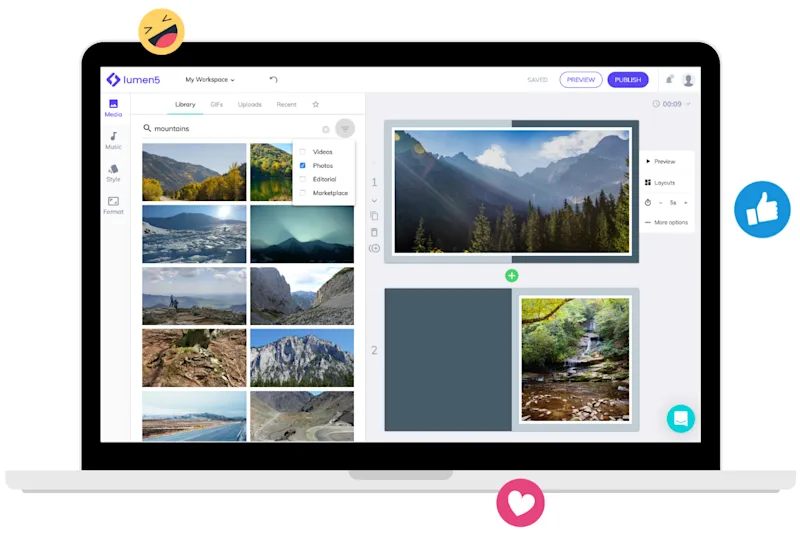

The easiest way to add an image to a video online
Upload a video and just choose the best spot for your image
How to add an image to a video online in 3 steps
Get started for free →
STEP 1
Upload your video
Choose the video that you want to put an image on top of and upload it from any device, Google Drive, or Dropbox. You can also upload an image instead of a video.
STEP 2
Upload or search for an image
Find the image that you want to apply to your video. If you already have one image in mind, you can easily upload the file or import the URL. If you don’t have an image ready, you can use our editor to search for it. Then, position the image on top of your video.
STEP 3
Download and share the result
Playback the video to ensure the image is exactly where you want it to be. If it is, just hit "create", and your video with an added image will be produced. You can then download and share it on any social media platform.
World-class video marketing content. Made in minutes. No video editing skills required. Sign up for free today to grow your brand.
Tips and tricks for effortless video production
Learn how our customers save time and boost engagement with Lumen5