Nano Banana 2: the image model behind every Lumen5 storyboard
Google's Nano Banana 2 is the model Lumen5 uses to turn your script into a storyboard of illustrated shots, ready to animate. Lumen5 users have generated more than 217,000 frames with it. Here's what we've learned.
Published October 30, 2026 · Based on Lumen5 customer generations from November 2025 to October 2026
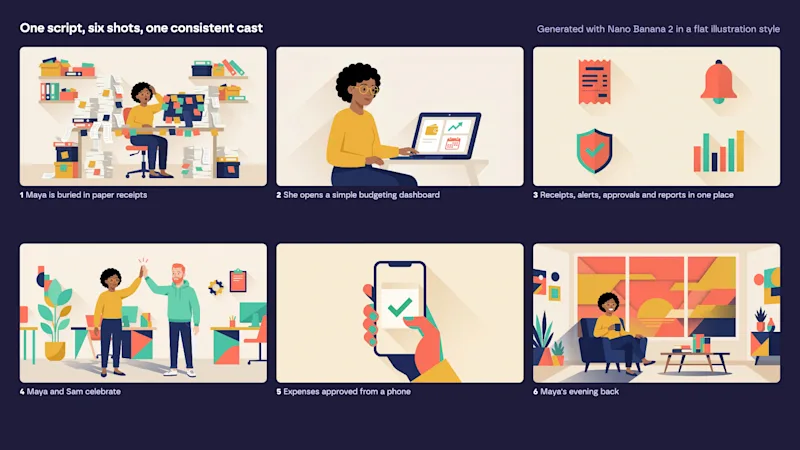
One script, six shots, one consistent cast: a storyboard generated with Nano Banana 2.
What is Nano Banana 2?
Nano Banana 2 is Google's second-generation Nano Banana image model. It can generate images from text or edit them using up to 10 reference images. Lumen5 first adopted the original Nano Banana in August 2025, when it debuted at #1 on the LMArena text-to-image leaderboard for the same price as the model it replaced. We made Nano Banana 2 the default for animated explainers in April 2026.
With Nano Banana 2, you can:
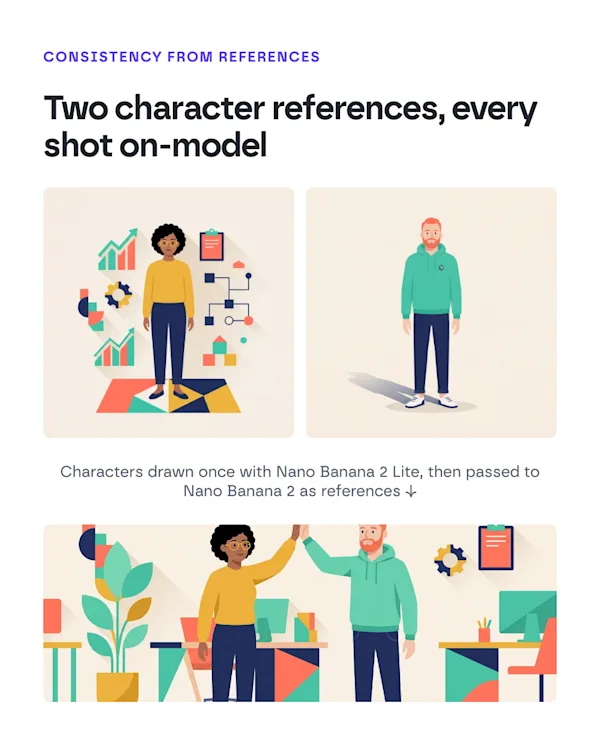
Keep characters, products and props consistent across every shot by passing them in as references
Follow a visual style closely instead of "over-designing" each frame
Generate in landscape, vertical, square or 4:5 natively
Give very detailed art direction (prompts up to 50,000 characters)
Why we chose Nano Banana 2
Before Nano Banana 2, our animated explainers used Nano Banana Pro. Pro made beautiful images, but it tended to over-design: extra elements, extra detail, drifting away from the style direction. Nano Banana 2 followed art direction more accurately and cut our cost per image by about 47%.
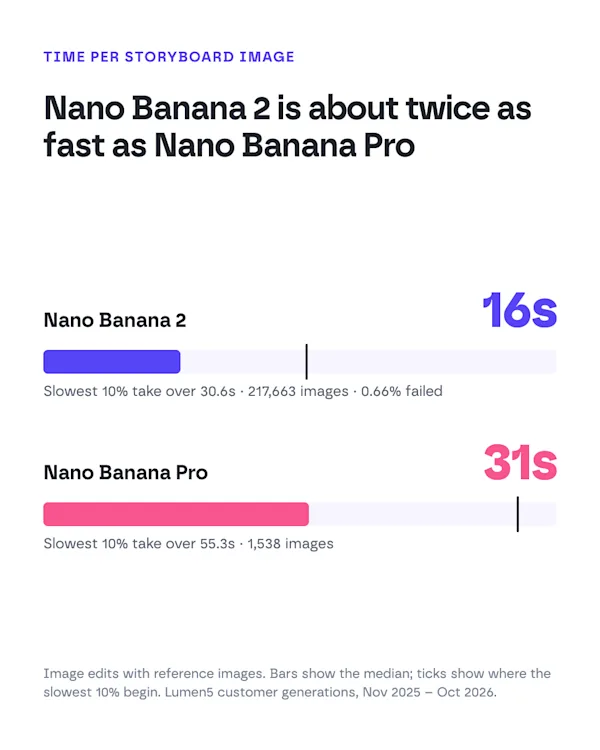
It's also faster. In our data, the median Nano Banana 2 edit takes 16 seconds, about half Nano Banana Pro's 31. Only 0.66% of more than 219,000 requests have failed.
For simpler jobs we use Nano Banana 2 Lite. It draws the standalone characters and props that get reused across a video, with a median time of about 8 seconds. It struggles more with complex scenes, so we don't use it for full shots.
Step 1: Paste your script or idea
Start from a script, a blog post or a one-line idea. Lumen5 writes the scenes for you.
Step 2: Pick a style
Choose an illustration style. Lumen5 uses Nano Banana 2 to draw your characters first, then every shot of your storyboard, using the same references so everything stays consistent.
Step 3: Animate and export
Edit any shot, then animate the storyboard with Gemini Omni Flash. Add voiceover, music and your brand, and export.
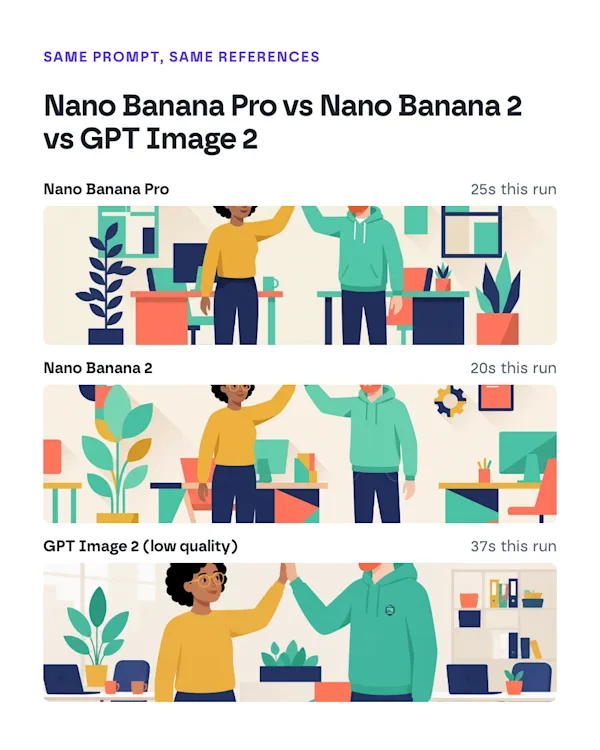
Nano Banana 2 vs Nano Banana Pro vs GPT Image 2
Nano Banana Pro is the best of the three at photorealism and character consistency, but it's the slowest (about 31 seconds per edit in our data) and costs nearly twice as much. It also tends to over-design.
GPT Image 2 impressed our team on some difficult scenes where Nano Banana produced odd results. In our early testing it took minutes rather than seconds per image, though, and its token-based pricing made cost hard to predict: long style prompts and reference images pushed it well above the advertised price.
Nano Banana 2 is the balance we chose: accurate to the style, consistent across shots, about 16 seconds per image, and reliable at scale.
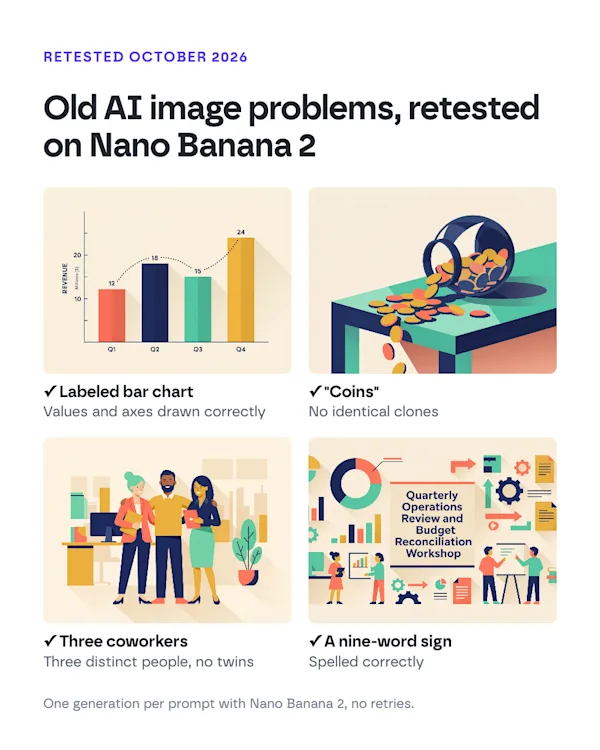
What Nano Banana 2 gets right that older models didn't
We built rules into Lumen5's prompts for the mistakes earlier image models made. When we retested Nano Banana 2 on those cases in October 2026, it passed all of them on the first try:
Charts: a four-bar chart with labeled values came out with the right values and axes. We still recommend real charts for real data, because the video model that animates the shot can change them.
Text in images: a nine-word sign was spelled correctly. Short labels are still safest.
Similar-looking people: "three coworkers" produced three distinct people, not twins.
Plurals: "coins" produced a natural pile, not a row of clones.
Where it still needs help: keeping a background color exactly the same from shot to shot. Lumen5 pins an exact hex color in every prompt to handle that.
Nano Banana 2 is Google's second-generation Nano Banana image model for generating and editing images from text and reference images. Lumen5 uses it to draw the shots in animated explainer videos.
For storyboards, in our testing, yes. It follows art direction more closely, over-designs less, runs about twice as fast and costs about half as much. Nano Banana Pro is stronger at photorealism.
Across more than 217,000 Lumen5 generations, the median was 16 seconds, and 90% finished within 31 seconds. Lumen5 generates a storyboard's shots in parallel.
Not on its own: it's an image model. In Lumen5, Nano Banana 2 draws each shot and Google's Gemini Omni Flash animates it into a video clip.
You can try animated explainers on the free plan. In the AI media tab, Nano Banana 2 is available on paid plans; free plans use FLUX.1 [schnell].
Lite is faster and cheaper but less capable with complex scenes. Lumen5 uses Lite for single characters and props, and Nano Banana 2 for full storyboard shots.
