


Product News | Integrations
Quick exercise. Count your open browser tabs right now.
If you had to scroll, you’re in good company. Modern marketing is basically a relay race between tabs: draft the script in one, copy it into another, hunt for the brand kit in a third, then message a teammate in a fourth to ask where the brand kit went.
We’d like to give you a few of those tabs back.
Lumen5 now connects with Claude, ChatGPT, Zapier and Make. That means you can ask for a finished, on-brand video from inside the AI assistant you’re already chatting with, or set up an automation that makes videos for you while you get on with literally anything else. Your scripts, your brand kits, your voices.
Fewer copy-paste marathons. 🏃🏻🏃🏽♀️🏃🏽♂️
Here’s what each integration does, the problem it solves, and a handful of ideas you can try today. Full integration instructions below.
The short version: what are the new Lumen5 integrations?
Lumen5 has four new integrations that bring AI video creation into the tools marketers already use:
- Lumen5 + Claude: Shape a script with Claude, then hand it straight to Lumen5. It works in Claude and in Claude Code.
- Lumen5 + ChatGPT: Ask ChatGPT for a video with a one-line brief, and Lumen5 writes the script and builds it.
- Lumen5 + Zapier : Automatically create a video whenever something happens in another app, like a new blog post or a new product.
- Lumen5 + Make : Build advanced automations that batch, route and filter content into videos at volume.
Every video lands in your Lumen5 workspace and opens in the Lumen5 editor, so a human always gets the final say before anything goes live.
AI drafts. You approve. Everyone sleeps better. 😴
| Integration | Best for | Status |
|---|---|---|
| Claude | Turning long-form writing and finished scripts into video | Available now |
| ChatGPT | Quick videos from a short brief, right in the chat | Available now |
| Zapier | Simple “when this happens, make a video” automations | Available now |
| Make | Batch production and branching, multi-step workflows | API available today |

Lumen5 + Claude: from first draft to finished video
Claude is very good at the part of content work that usually eats your afternoon: turning a sprawling report, a 4,000-word article or a page of scattered notes into something a human might actually want to hear out loud.
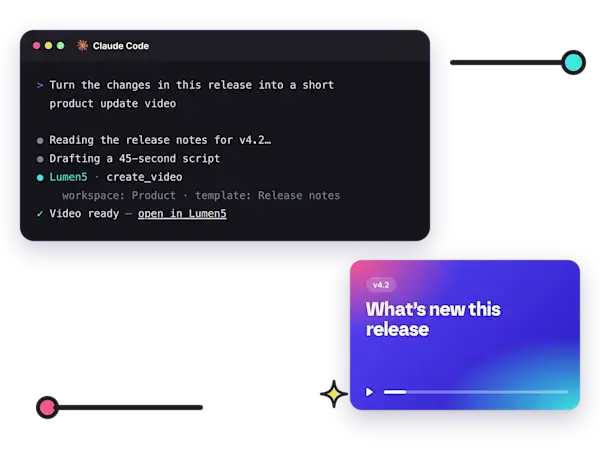
The catch, until now, was what came next. You’d polish the perfect script, then carry it across to your video tool and start rebuilding from scratch. With the Lumen5 connector, you skip the commute. You work through the script with Claude, ask for a video, and Claude checks which workspace to use, applies your styles and comes back with a link to the finished video.
Why it’s useful
Your script survives the trip, word for word. When you’re happy with a script in Claude, Lumen5 uses it exactly as written for the voiceover. No mystery edits, no “creative interpretation” of your carefully negotiated product claim. What legal approved is what your audience hears.
Claude already has the context. Paste in a whitepaper, a long article or your meeting notes, and Claude can boil it down into a tight script and create the video, all in the same conversation. One chat, start to finish.
It works in Claude Code, too. Developers and product teams can create videos without leaving the terminal. Picture your release notes quietly turning themselves into a product update video while your engineers carry on doing engineer things. (Nobody has to be dragged into a video tool against their will. Everybody wins.)
Ideas to try in Claude
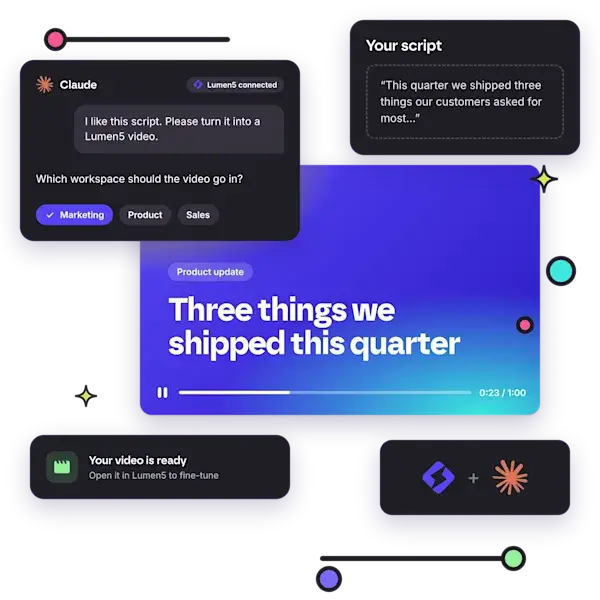
- “I like this script. Please turn it into a Lumen5 video.” The simplest way in. Finish the script, ask for the video, done.
- “Summarize this whitepaper into a 60-second explainer using our brand kit.” Claude condenses the source, then sets the length and the brand kit for you. That 30-page PDF finally gets the audience it deserves.
- “Make a 10-second test video in Lumen5.” A quick way to check the connector is working before you go big.
- “Turn the changes in this release into a short product update video.” This one shines in Claude Code, where Claude can read the changes itself.
You can ask for a specific template, AI voice, brand kit or blueprint, or leave it out and let Lumen5 choose.

Lumen5 + ChatGPT: ask for a video like you’d ask for a coffee
If Claude is where you go to wrestle a long draft into shape, think of the ChatGPT integration as the express lane. Add the Lumen5 app to ChatGPT, describe what you need, and Lumen5 writes the script and builds the video. No script required to get started, and no new tab required either.
Why it’s useful
A one-line brief is enough. Need a quick promo, a social clip or a recap of last week’s update? Say so in a sentence. If you already have a script, paste it in and Lumen5 will use it word for word.
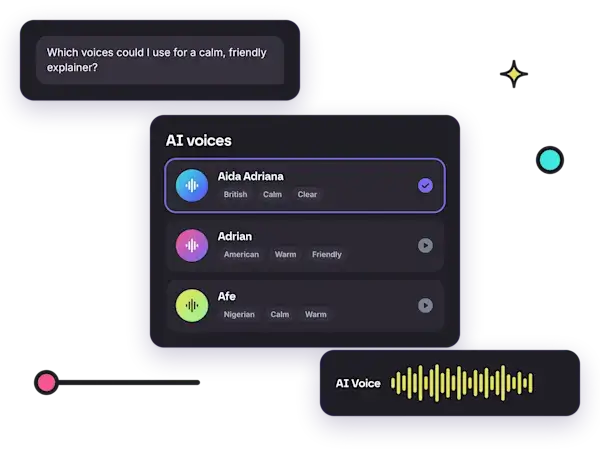
You can shop around before you commit. Ask what kinds of videos Lumen5 can make, from explainers to product promos, or browse AI voice options by accent, gender and tone. It’s like a voiceover casting call, minus the awkward small talk.
It keeps tabs on your videos so you don’t have to. Ask ChatGPT for the status of a video, or for a list of the videos you’ve recently requested in a workspace. It’ll share the link when your video’s ready.
Things to try asking ChatGPT
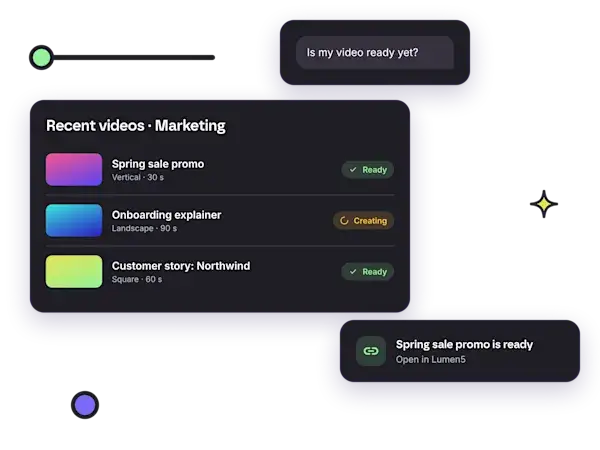
- “Make a 30-second vertical promo for our new product launch.” ChatGPT sets the aspect ratio and length, and Lumen5 handles the rest.
- “Which voices could I use for a calm, friendly explainer?” Audition your options before you hit go.
- “Is my video ready yet?” The polite, automated version of hovering over someone’s desk.
Brand kits and blueprints work here too, so even your fastest request still looks like it came from your brand, not from a ransom note.

Lumen5 + Zapier: when something happens, make a video
Now for the integrations that work while you don’t.
The Lumen5 app for Zapier is live in beta. Add Lumen5 to a Zap and every new post, product or update can turn into a finished video automatically, with no code involved.
Why it’s useful
It starts from the apps you already use. Trigger a video from your CMS, your online store, your CRM, your forms or your spreadsheets. Basically anywhere Zapier connects.
You set your brand rules once. Pick your workspace and style when you build the Zap, and every video it creates stays on brand. No more “who made this one?” moments in the team channel.
No code, no API keys. Sign in to Lumen5 from Zapier, approve access, and Zapier takes care of the plumbing.
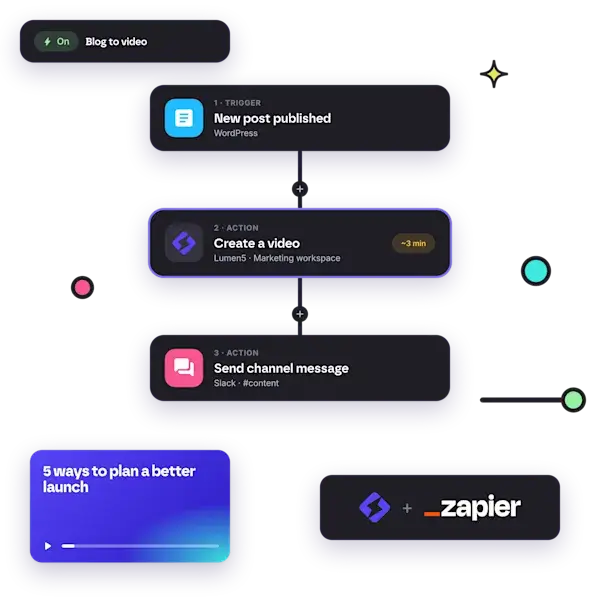
Here’s the whole thing in three beats: something happens in one of your apps (the trigger), Zapier sends that content to Lumen5 to create a video with your workspace and style settings, and then you do something with it, like posting the link to Slack, emailing it or logging it in a sheet.
And no, you don’t need a script for every video. Send Lumen5 the text of a post or a short brief and it writes the script for you.
Popular Zap ideas
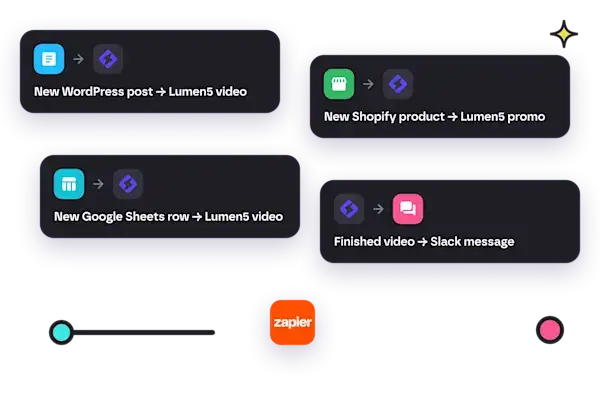
- New WordPress post → Lumen5 video. Every article you publish gets a shareable video sidekick. Your blog posts were lonely anyway.
- New Shopify product → Lumen5 promo. Each product launch gets its own short video, without anyone filing a request.
- New Google Sheets row → Lumen5 video. Keep a running list of video ideas and let the Zap work through it. Finally, a backlog that clears itself.
- Finished video → Slack message. Your team hears about a new video the moment it’s ready to review.

Lumen5 + Make: video production for serious automation fans
If Zapier is “when this happens, do that,” Make is for the people whose workflow diagrams look like a subway map and who are secretly very proud of that.
The Lumen5 app for Make is coming soon. It’s built to route, filter and batch your content into finished videos as part of the scenarios you already run.
Why it’s useful
Videos in batches. Loop over the rows of a spreadsheet or the items in a feed and create a video for each one, each with its own script, template or voice. Fifty products, fifty promos, zero late nights.
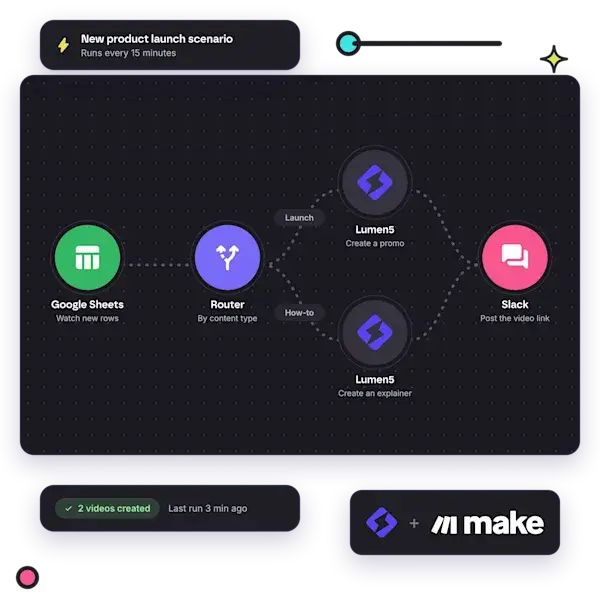
Branching by content type. Send each item to a different template, voice or brand kit. A product launch gets a promo. A how-to post gets an explainer. Your automation knows the difference, even on a Monday.
Safe to retry. Give each request an idempotency key, and a scenario that runs twice won’t create the same video twice. (Yes, “idempotency” is a real word. Your developer will be delighted you said it.)
When it launches, you’ll be able to sign in to Lumen5 from Make with no API key to manage, create videos from a script, source text or a brief, check on progress, and pick workspaces, templates, voices, brand kits and blueprints from lists instead of copying IDs around like it’s 2009.
Can’t wait? You don’t have to. You can use Lumen5 in Make today through Make’s HTTP module and the Lumen5 Video Creation API, using an API key from your Lumen5 dashboard. Videos take a few minutes, and you can check a request’s status or register a Lumen5 webhook to get a ping when it’s done. Each user can create up to 300 video requests an hour, which should cover most ambitions.
Scenario ideas for Make
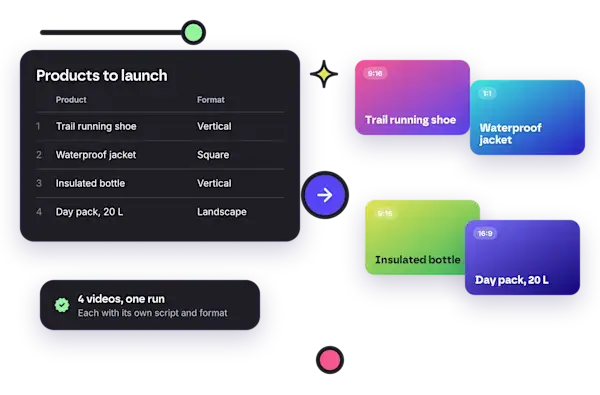
- Product catalog → promo videos. Create a short promo for every new product row in Google Sheets or Airtable.
- Blog → social, two ways. When a new post goes live, make a vertical video for social and a landscape version for your site in one go.
- Approval before production. Only create a video once a script is marked approved in your project tool. Governance, but make it automatic.
- Ready notifications. Send the finished video link to Slack or email the moment Lumen5 is done.
So which Lumen5 integration should you start with?
A quick cheat sheet:
- You live in long docs and care about every word: start with Claude.
- You want a quick video from a quick thought: start with ChatGPT.
- You want videos to appear whenever new content does: start with Zapier.
- You’re running high-volume or multi-branch workflows: keep an eye on Make (or get going today with the API).
Whichever you pick, the fundamentals stay the same. Your videos land in your Lumen5 workspace, they use your brand kits, templates, voices and blueprints, and they open in the Lumen5 editor so you can tweak scenes, media and timing before you publish. AI does the heavy lifting. Your team keeps the steering wheel.
Frequently asked questions about Lumen5 integrations
Can I create a Lumen5 video from Claude or ChatGPT? Yes. With the Lumen5 connector in Claude (including Claude Code) or the Lumen5 app in ChatGPT, you can ask for a video in the conversation and get a link to the finished video in a few minutes.
Do I need to write a script first? No. Give a short brief and Lumen5 writes the script. If you already have one, Lumen5 uses it word for word for the voiceover.
Will my videos be on brand? Yes. You can ask for a specific brand kit, template, AI voice or blueprint from your workspace. In Zapier, you set your workspace and style once when you build the Zap.
Can I edit videos created through an integration? Yes. Every video opens in the Lumen5 editor, so you can review and adjust it before it goes anywhere.
Who can create videos through the Claude integration? Anyone who can create videos in your Lumen5 workspace. Viewers and reviewers can look things up but can’t create videos, just like in the Lumen5 app.
Can I automate video creation without code? Yes. The Lumen5 app for Zapier lets you trigger videos from your CMS, store, CRM, forms or spreadsheets without writing code or managing API keys.
Ready to plug in?
We’ve kept the setup steps off this page on purpose, because each integration has its own quick walkthrough waiting for you on its landing page. Pick the one that fits how you work, and you’ll be making your first video in about the time it takes to close a few of those tabs:
New to Lumen5? Head over to lumen5.com to see how teams turn the articles, scripts and ideas they already have into polished, on-brand video.
We built these integrations because we kept hearing the same thing from you: the hard part isn’t having ideas, it’s getting them out of one tool and into another before the moment passes. So we’ve brought Lumen5 to where your ideas already live. We can’t wait to see what you make with them. And if you build a Zap or a prompt that makes your whole team cheer, tell us. We love stealing good ideas (with credit, of course).
Lumen5 helps marketing teams produce more video content faster, at a fraction of traditional production cost. Learn more or book a demo →