

Product Update | Video Editing
The first draft was never the hard part.
You’ve seen the magic trick. Paste a link, blink, and an AI tool hands you a video in under a minute. Applause. Then you press play and spend the next hour (actually, usually more. IYKYK.) fixing everything it guessed wrong. A scene that drags on like a meeting that should’ve been an email. A headline parked on a bright white background, legible only to people with superhuman eyesight. A breezy beach clip in a video about quarterly compliance training.
Getting from “a video” to “the video your team can actually send” is where your afternoon quietly disappears.
That’s the gap Agent closes. And it’s now live in Lumen5.
What is Lumen5 Agent?
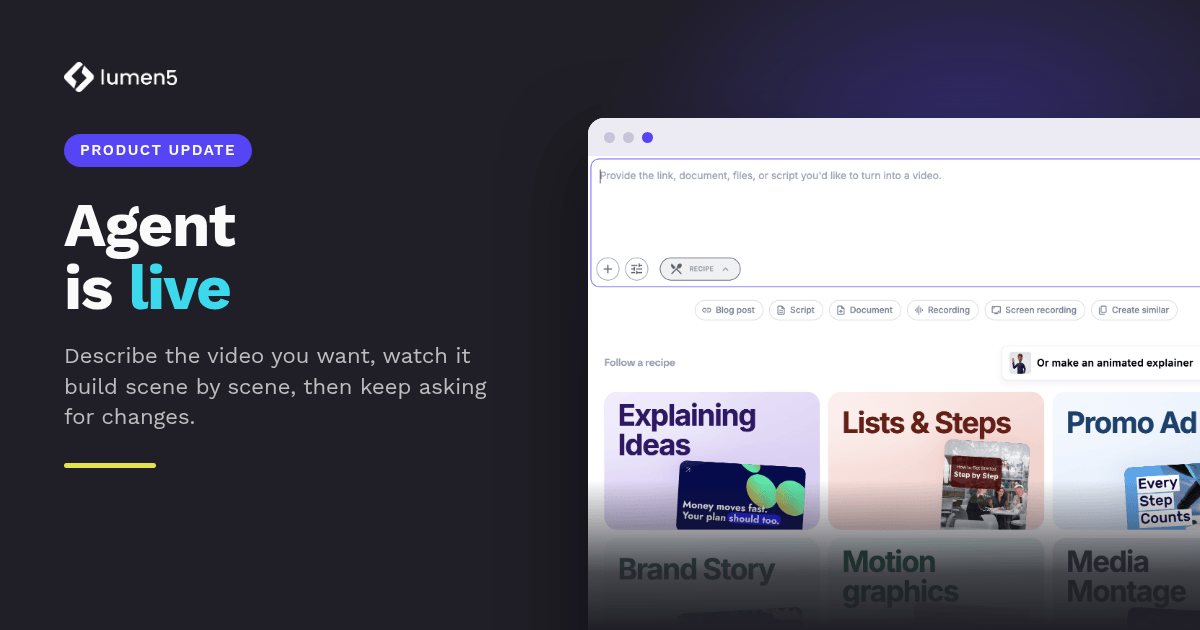
Lumen5 Agent is a conversational way to create and edit video. You describe what you want in plain language, you watch it build your video scene by scene, and then you keep asking for changes right inside the editor until it’s right. ✅
That last part is the bit we’d underline twice and highlight in yellow. Plenty of AI video tools will happily hand you a first draft and then ghost you. 👻 Agent sticks around for the second, third and fourth drafts. It’s less “here’s your video, good luck” and more “okay, what are we changing?”
Give it a brief, not a vibe
The old deal with AI video went something like this: you gave it a link, and you took whatever came back. Like a vending machine, but for b-roll.
Agent asks for more, because more is what gets you something usable. Tell it how long the video should be, what style it should follow and which media suits your audience, and it builds to that brief.
And if your request leaves something important open? It doesn’t guess and leave you to undo the guess later. A new questionnaire puts the relevant follow-up questions in front of you first. Only the ones it can’t already work out from what you’ve told it, so you’re not filling in a tax return to make a 30-second promo.
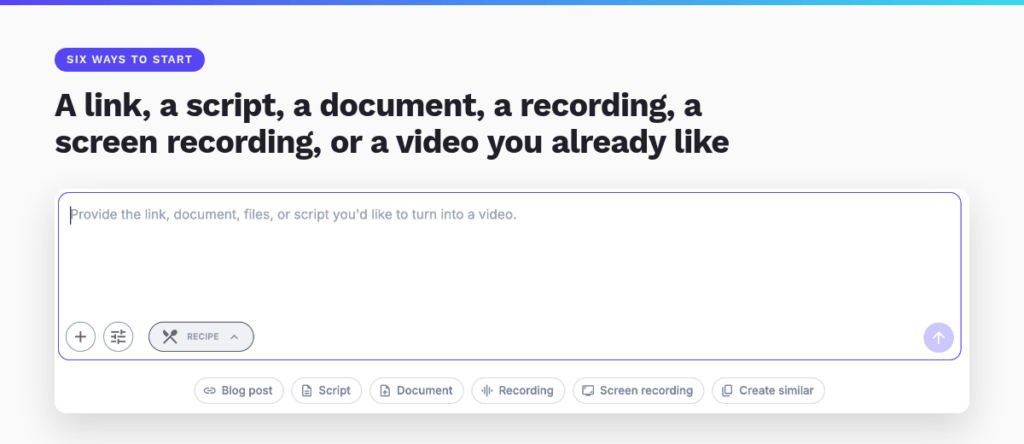
You’ve also got six ways to start, right on the Create page:
- A blog post
- A script
- A document
- A recording
- A screen recording
- An existing video you’d like something similar to
Documents just got a serious promotion
If your team lives in PDFs and slide decks (no judgement, we all do), this one’s for you.
Agent now understands page numbers, including the ones printed on the pages themselves. So when you ask for the chart on page 12, you get the chart on page 12. Not page 11. Not “a chart-shaped thing from somewhere in the middle.”
It can also grab a picture of a page from a PDF, PowerPoint or Word file and drop that image straight into your video. That’s handy when the document is the point, like a report cover, a key slide or that one diagram your product team spent three weeks perfecting.
And it’s quicker, too. In our product lead’s own testing, the whole document path runs about 50% faster than it did before.
Watch it build, scene by scene
While Agent works, the creation view now shows each scene as it’s made and updated. Goodbye progress bar and silent prayer. Hello actually knowing what’s happening.
It sounds cosmetic. It isn’t. If you can see scene two going sideways while scene five is still being built, you can speak up right then, instead of discovering the problem at the end and starting over with a heavy sigh.
Under the hood, there’s a brand new recommendation engine making those choices, and it comes with a few habits we’re quietly (okay, loudly) proud of:
- Perfect timing. Text and icons appear the moment they’re actually said in the voiceover, so nothing shows up early or lingers after the line has moved on.
- Contrast detection. It checks that your text stays readable on whatever it’s sitting on, instead of assuming every photo is conveniently dark.
- Smarter text wrapping. Headlines break in sensible places and resize less awkwardly. No more lonely single words stranded on their own line.
- Length that listens. Ask for a longer or shorter video and it does a much better job of actually hitting that length.
None of these will win an award on their own. Together, they’re most of the difference between a video that looks automated and one that looks like a person who cares made it.
The second draft is where videos actually get made
Here’s the change we think matters most for teams.
There’s a new Agent tab in the creator. Once your first draft exists, you can keep making requests in plain language without ever leaving the editor:
- “Shorten scene four.”
- “Swap that clip for something in an office.”
- “Make the closing card match the rest.”
Your video, adjusted by asking. Not by playing hide-and-seek with the right panel.
You still have every manual control you had before, so the power users can keep doing their thing. The point isn’t that you’ve stopped editing. It’s that the fastest route to a specific change is now just describing it.
For a team, that’s a big shift. Instead of one person who knows the editor inside out (and gets every “quick favour” request in the building), everyone can get a video out the door.
Recipes: so four people don’t make four different brands
The Create page now leads with recipes, each with a preview of what it produces:
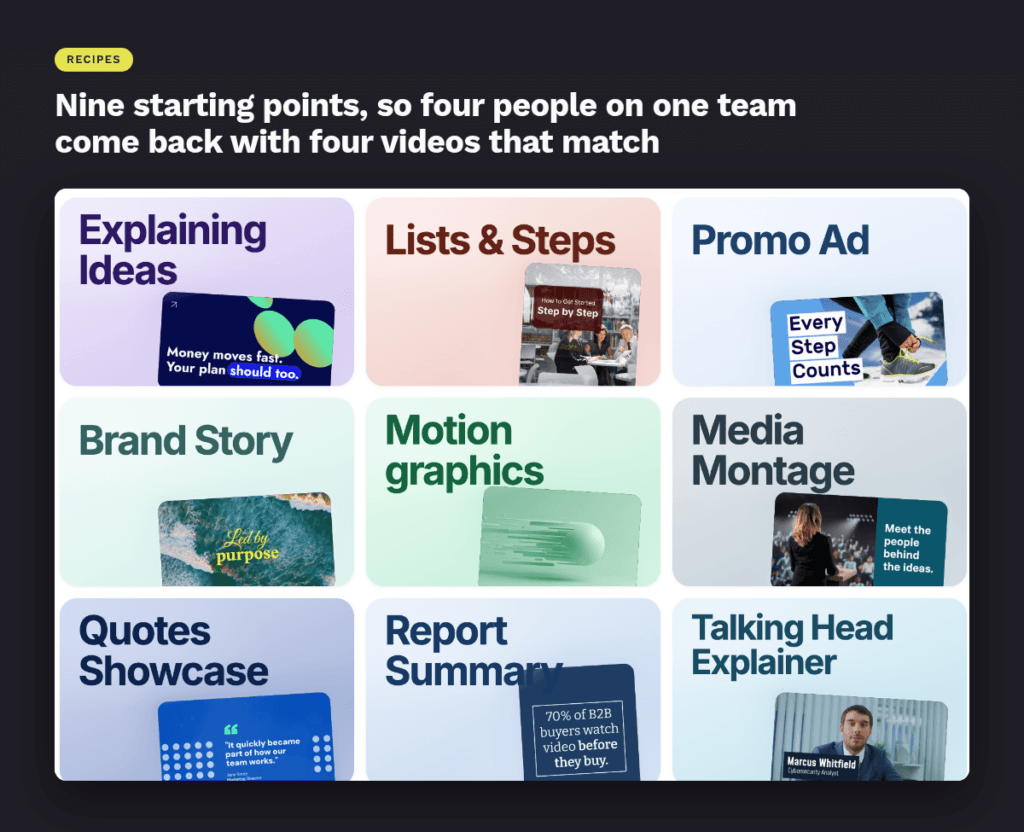
- Explaining Ideas
- Lists & Steps
- Promo Ad
- Brand Story
- Motion Graphics
- Media Montage
- Quotes Showcase
- Report Summary
- Talking Head Explainer
They’re great for inspiration if you’re new and wondering what’s possible. But their real superpower is consistency. When four people on the same team all reach for Report Summary, you get four videos that clearly belong to the same brand. Not four creative interpretations of one, plus a brand manager reaching for the paracetamol.
What didn’t change (on purpose)
We know how much of your workflow sits on top of what’s already there, so we kept this release deliberately focused. Blueprints, your pricing and usage limits, and Script Composer all work exactly as they did before. No surprise migrations. No “where did that button go?” moments.
Why we built Agent around the revision loop
If you’ve been following AI video at all, you’ll have noticed the conversation shifting this year. The interesting question stopped being “can a model produce a clip?” and became “can it take direction?”
Editing has always been where most of the production time goes. Generating footage faster doesn’t fix that. If anything, it can make it worse, because now you’ve got ten versions to choose between instead of one, and a calendar that hasn’t grown any extra hours.
That matches what we see with marketing teams every day. The bottleneck isn’t getting a video made. It’s the back-and-forth after it exists, and how many people on the team can actually drive that back-and-forth.
So we built Agent around the revision loop, not just the first generation. Making a video is easy now. Making your video, the one that’s actually ready to send, is what we wanted to make easier.
Try it on a real brief
Agent is in Lumen5 now, waiting on the Create page.
If you’ve only ever used us by pasting a link and taking what came out, this is worth ten minutes of your team’s time. Give it an actual brief, with a length, a style and an audience. Then tell it what to fix. Then change your mind and tell it again. It won’t take it personally.
And we’d genuinely love to hear where it falls short for your team. We’re still tuning the recommendations, and the fastest way they get better is hearing what you asked for and didn’t get. Tell us. We can take it.
Want more ideas for turning the content you already have into video that works harder? Tune into the Supercharge Marketing podcast, where marketing leaders share what’s actually working for their teams.
Frequently asked questions about Lumen5 Agent
What is Lumen5 Agent? Lumen5 Agent is a conversational AI video creation and editing tool inside Lumen5. You describe the video you want, watch it build scene by scene, and then request changes in plain language until it’s ready.
How is Agent different from other AI video generators? Most AI video tools focus on the first draft. Agent is built around the revision loop, so after the first version exists you can keep asking for edits (like shortening a scene or swapping a clip) right inside the editor.
What can I use to start a video with Agent? You can start from a blog post, a script, a document, a recording, a screen recording, or an existing video you want something similar to.
Can Agent work with PDFs, PowerPoint and Word files? Yes. Agent understands page numbers, including the ones printed on the pages, and it can turn a page from a PDF, PowerPoint or Word file into an image in your video.
Do I still have manual editing controls? Yes. Every manual control in the Lumen5 editor is still there. Agent simply gives you a faster way to make specific changes by describing them.
Does Agent change Lumen5 pricing or usage limits? No. Your pricing and usage limits, along with Blueprints and Script Composer, work exactly as they did before.
How does Agent help teams stay on brand? Recipes on the Create page, such as Report Summary or Brand Story, give everyone on your team the same starting point, so videos made by different people still look like they belong to the same brand.
Lumen5 helps marketing teams turn the content they already have into polished, on-brand video, faster and at a fraction of traditional production cost. Learn more or book a demo →