

Product Update | Video Editing
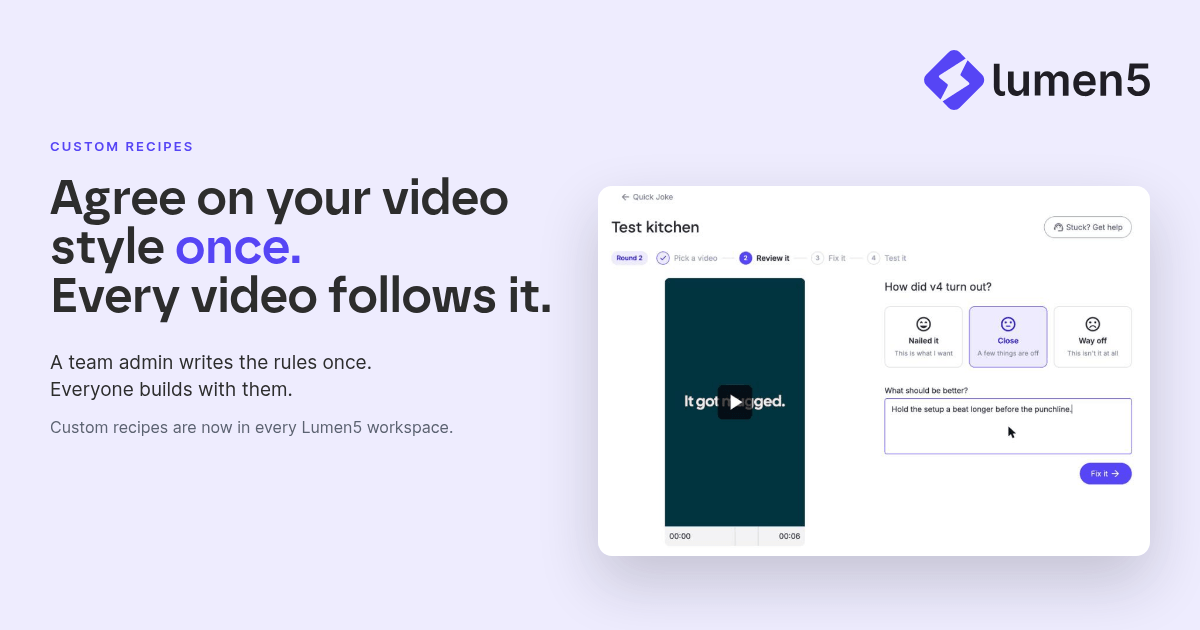
Agree on your video style once. Every video after that follows it.
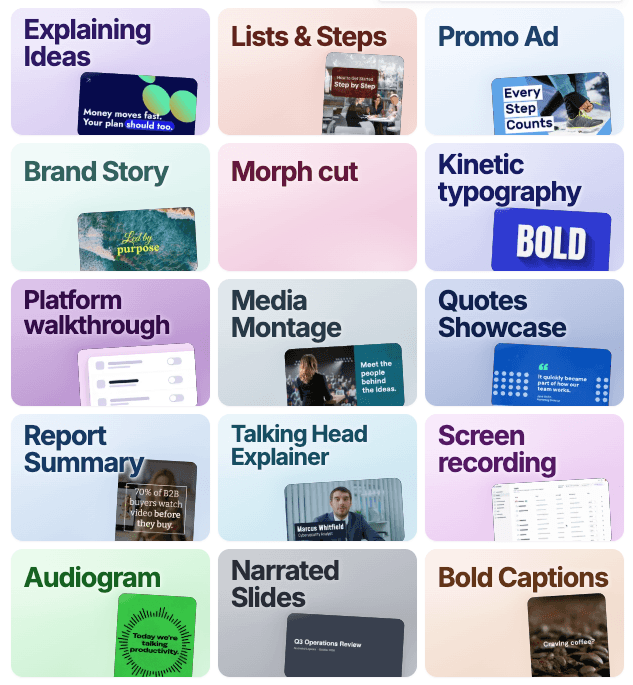
Custom recipes are now live in every Lumen5 workspace. A team admin writes down how your videos should be made, shares it, and it shows up on the Create page under “Follow a recipe,” right next to the built-in ones. Everyone on the team picks it the same way. Same rules, every video, no matter who’s at the controls.
If you’ve ever left the same review comment on five different videos, congratulations. You’re the reason we built this.
Your house style has been living in your Creative Director’s head
Every team that makes a video has a house style, but it’s often in your Creative Director’s head or on a sticky note under a coffee cup.
A house style is the way your best editor splices in B-roll footage at exactly the right moment, or picks the voice that everyone recognizes, and adds the four-second outro that never, ever gets skipped. New videos get made by reconstructing those rules from memory, and the review round is where the misses get caught.
That’s why we made Custom Recipes.
What’s actually inside a recipe
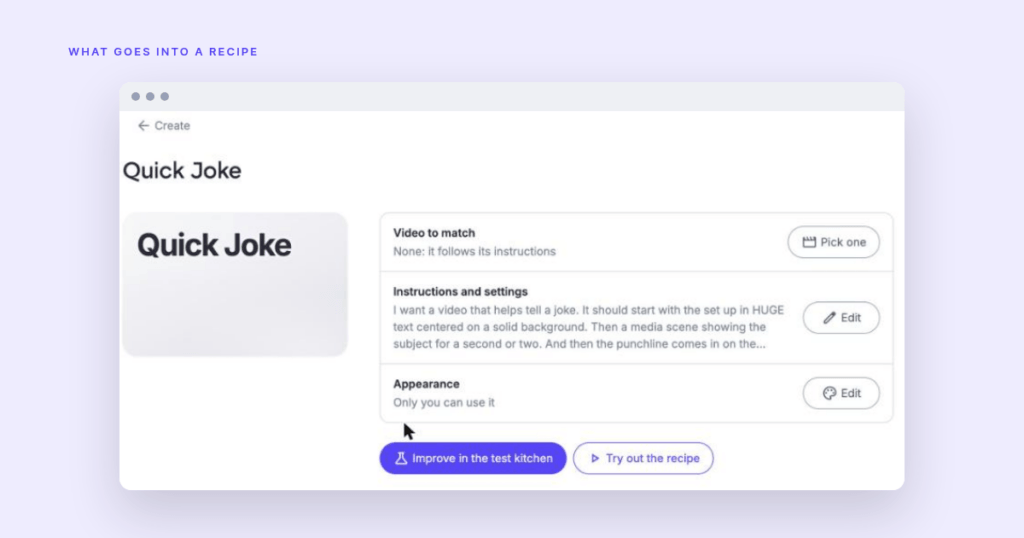
A custom recipe is a tile on the Create page with three things behind it.
1. Instructions. Up to 5,000 characters, in your own words. The editor even suggests a shape for it, something like: “Use our uploaded screenshots and stock footage of people at work, never illustrations. Titles at 96px and body text at 48px on a 1080p video, always left-aligned. End on a 4-second outro of our official video, with no voiceover.”
Here’s the trick: write down the notes you keep leaving in reviews. That’s your recipe.
2. Settings. These are the choices the recipe makes for everyone: template, story structure, length, aspect ratio and voice. They’re filled in the moment someone picks the recipe, so nobody has to re-pick them from scratch (or pick them slightly wrong).
3. A video to match. Point the recipe at one video that looks right and it copies that look. Switch on “Only use this video’s scene layouts” and every video made with the recipe stays inside those layouts, with no other designs sneaking in from the template.
That one toggle is the difference between “inspired by our brand” and “on brand” and that makes ALL the difference.
And you’re not starting from a blank page. A custom recipe layers on top of whichever built-in recipe the agent picks to build with, so you’re steering a good default, not reinventing one.
Who uses it, and who gets to change it
The Appearance setting gives you three options:
- Only you can use it. Your private draft while you’re still tinkering.
- Shared with this workspace.
- Shared with every workspace of your team. If your team runs more than one workspace, you build the recipe once and the others see it, labelled with where it came from.
Creating and editing recipes stays with team admins. Members see the tile and build with it, but they can’t quietly reword it. That’s on purpose. A shared recipe should mean the same thing on Friday as it did on Monday.
For Enterprise teams, there’s one more control. “Limit Lumen5 recipes” in video settings lets admins choose which built-in recipes their team sees on the Create page. Your team’s own recipes always stay available, so the shortest path is always the one you wrote.
For API users, a request can name a team recipe in its recipe field. Your automated videos follow the same rules as the ones your team makes by hand. No more robots going off-script.
Taste-test it before the team digs in
A recipe is only worth sharing if it makes good videos. That’s what the Test kitchen is for.
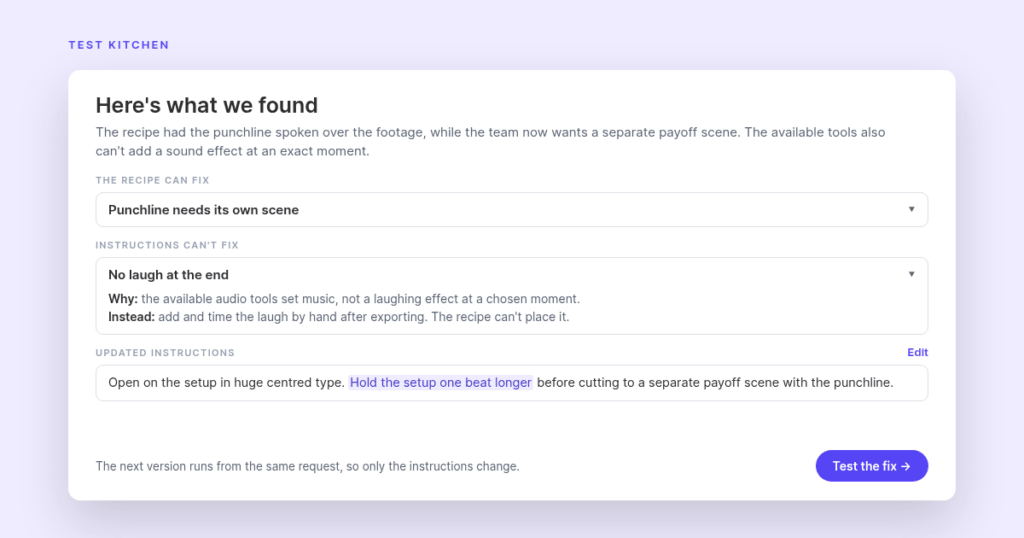
Pick a video already made with the recipe, or make a fresh one. Watch it and rate it: Nailed it, Close, or Way off. Then say what should change, in the same words you’d use with a colleague: “Hold the setup a beat longer before the punchline.”
You get a diagnosis back. It tells you what the recipe can fix and hands you revised instructions, with the changes highlighted.
It also tells you what instructions can’t fix, because some problems aren’t wording problems. If the agent doesn’t have a tool for what you’re asking, no amount of clever phrasing will conjure one. Better to learn that in a test than after your team has made 20 videos.
From there, you can test the fix from the same request, compare it with the last version, and publish the winner. The version you publish is the version your team gets.
The bottleneck moved (and it’s sitting in your review queue)
When anyone on the team can make a video, the review queue quietly becomes the production line, and the same three notes go out on every single project.
The teams that make a lot of video without losing the plot aren’t reviewing harder. They decide once, put that decision somewhere the tool can read it, and let the machine follow along. That’s a recipe.
Frequently asked questions
What is a custom recipe in Lumen5? A custom recipe is a saved set of instructions, settings and an optional reference video that tells Lumen5 how your team’s videos should be made. It appears on the Create page under “Follow a recipe” so every team member builds videos the same way.
Who can create or edit a custom recipe? Team admins. Members can use shared recipes but can’t edit them, so the rules stay consistent.
How long can recipe instructions be? Up to 5,000 characters.
Can a recipe lock videos to a specific look? Yes. Point the recipe at a reference video and turn on “Only use this video’s scene layouts” to keep every video inside those layouts.
Can I use custom recipes with the Lumen5 API? Yes. An API request can name a team recipe in its recipe field, so automated videos follow the same rules as manual ones.
How do I know a recipe works before sharing it? Use the Test kitchen. Rate a test video, describe what should change, and you’ll get revised instructions plus a note on anything instructions alone can’t fix.
Start with the note you always leave
Here’s an easy first step. Open the Create page, and if you’re a team admin, choose “New recipe” and write down the one review note you leave most often (ex: add outro here)
Not an admin? Take a look at the top of “Follow a recipe” on your next video and see what your team has already agreed on.
One recipe beats a hundred review comments. We’d love to see what you cook up.
On brand, every video, every time
Here’s the big picture. Recipes keep your team on brand without anyone having to play brand police. Your visual style, your voice and tone, your layouts, your outro: it all matches, whether the video came from your senior designer, the new hire in their first week, or an automated API request at 2am. Your audience sees one consistent brand. Your team sees far fewer “quick tweaks” in their inbox.
And because the rules are baked in, making a video gets easy. Nobody starts by hunting for the right template or guessing which voice to pick. They choose the recipe, add their content, and the video comes out looking like it belongs to your brand from the very first draft.
Why teams choose Lumen5
Plenty of tools can make a video. Fewer can make your video, at scale, without it drifting off brand by the tenth one. That’s the problem we’ve been focused on solving. Brand kits, templates and now custom recipes all work together so your style isn’t a suggestion the software politely ignores. It’s the starting point for everything your team creates.
We also built Lumen5 for the way marketing teams actually work. You can make videos from a script, a blog post or a quick brief, and your team’s recipes follow along whether someone’s building in the editor or your workflow is creating videos through the API. More people making more video, with fewer reviews, and every one of them still looking unmistakably like you. That’s the whole idea.
Ready to try it? Head to lumen5.com to set up your first custom recipe. And for more ideas on making marketing that scales without losing its personality, give the Supercharge Marketing podcast a listen.